


HONG KONG — August 16, 2026 — Gaming mice have spent years getting lighter and faster. But two everyday problems remain surprisingly ordinary: sharp click noise in shared spaces and the moment a wireless mouse needs charging. With the new Gamakay GX1 Series, Gamakay is asking a more practical question: can a gaming mouse be competitive at night, considerate during the day, and ready when the battery runs low?
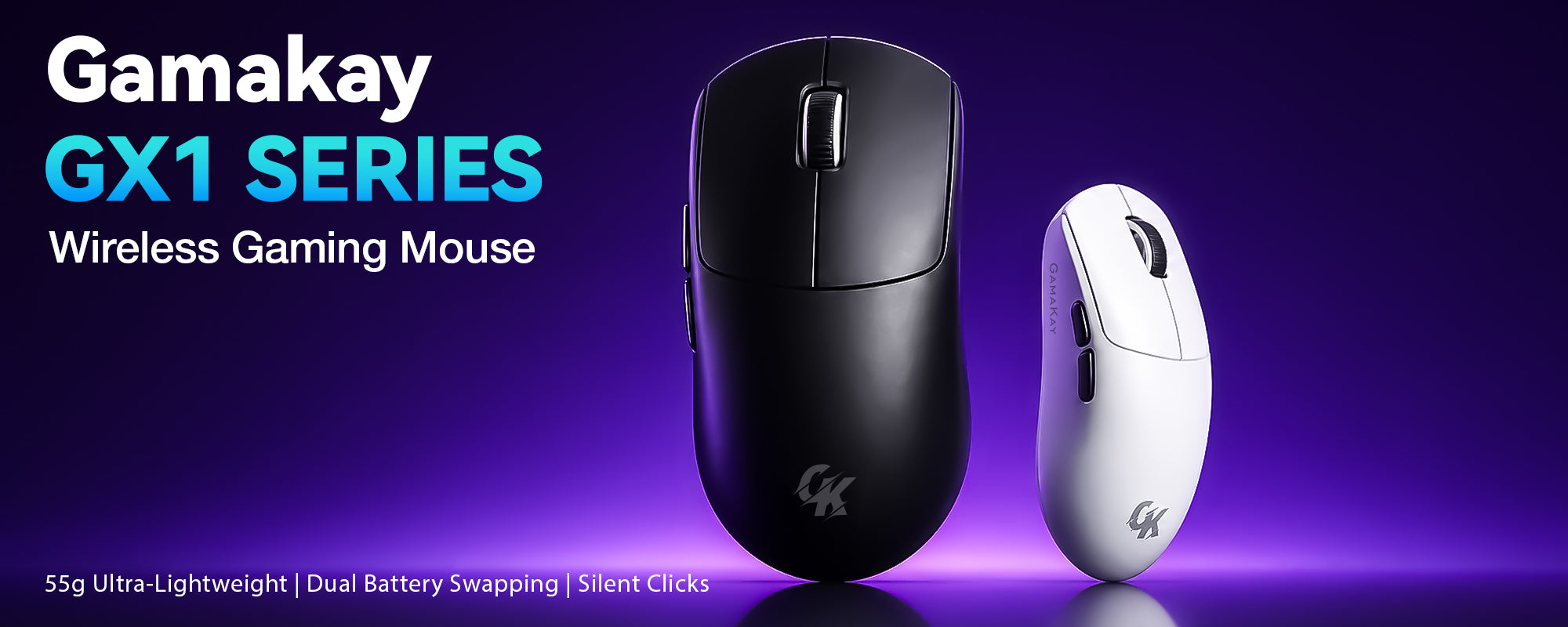
GX1 or GX1 PRO: the short answer
Choose GX1 for quieter everyday use, shared spaces, late-night gaming, multi-device work, and an up-to-1,000Hz performance level that is already sufficient for most daily users.
Choose GX1 PRO for competitive FPS, high-refresh-rate displays, PAW3950 tracking, polling-rate testing up to 8,000Hz over wired or 2.4GHz, and the dock's front status display.
Not sure? Choose GX1 unless you specifically need the PAW3950 sensor, polling above 1,000Hz, or the GX1 PRO dock's front display.
View the full comparison | Compare current GX1 Series options
The two models share the same practical foundation but serve different users. GX1 is designed for quiet everyday use, shared desks, late-night play, and work-to-game setups. GX1 PRO is the FPS and high-refresh-rate route, built around a PAW3950 sensor and polling up to 8,000Hz in wired or 2.4GHz mode.
Both models use an approximately 55g body and support 2.4GHz, Bluetooth, and wired connectivity. Both also include a charging dock and two swappable 300mAh batteries. Buyers can choose black or white, plus standard or silent left/right-click variants.
Is “silent gaming” a contradiction?
Not really. It is a gap created by how the mouse market has been divided. Quiet mice are usually sold as office tools; performance mice are usually sold through speed, click sharpness, and esports credentials. Real users do not stay inside those categories. The same desk may host a video call in the afternoon, a game after midnight, and another person trying to concentrate nearby.
For context, a mainstream quiet productivity mouse such as Logitech's Signature M650 is specified at up to 4,000 DPI and weighs about 101g in its medium business version. That is appropriate for office work, but it illustrates why “quiet” has not always meant “gaming-ready.” GX1 takes the opposite route: keep the quiet-click option, but pair it with a 55g-class body, a PAW3311 sensor, up to 12,000 DPI, and a 1,000Hz polling rate.
The GX1 premise is simple: quiet should describe the sound of the main clicks—not the limits of the mouse.
Is GX1 enough for everyday use and gaming?
For most daily work, browsing, and non-elite competitive play, the practical answer is yes. A 1,000Hz report rate updates the host every millisecond, while 12,000 DPI leaves far more sensitivity range than typical desktop use requires. Numbers alone do not determine comfort or aim, but GX1's specification ceiling is not the bottleneck for a normal workday, multi-device setup, or mainstream gaming session.
| Use case | What matters most | Best fit |
|---|---|---|
| Shared office or home | Lower click distraction, Bluetooth, lightweight control | GX1 with silent left/right-click option |
| Late-night gaming | Quieter main clicks and reliable 2.4GHz input | GX1, up to 1,000Hz over wired or 2.4GHz |
| Laptop + desktop switching | Connection flexibility | GX1 or GX1 PRO: Bluetooth, 2.4GHz, and USB-C wired modes |
| High-refresh competitive FPS | Higher polling options and flagship sensor performance | GX1 PRO: PAW3950 and up to 8,000Hz over wired or 2.4GHz |

Are two swappable batteries standard?
No. They are becoming more visible, but they are not the default design for wireless gaming mice. Most familiar esports models still use one sealed rechargeable battery and a cable when power runs low. Newer products such as Glorious's V3 Wireless family and Turtle Beach's Command Series MC7 show that dual-battery systems are emerging as a distinct premium feature rather than an established baseline.
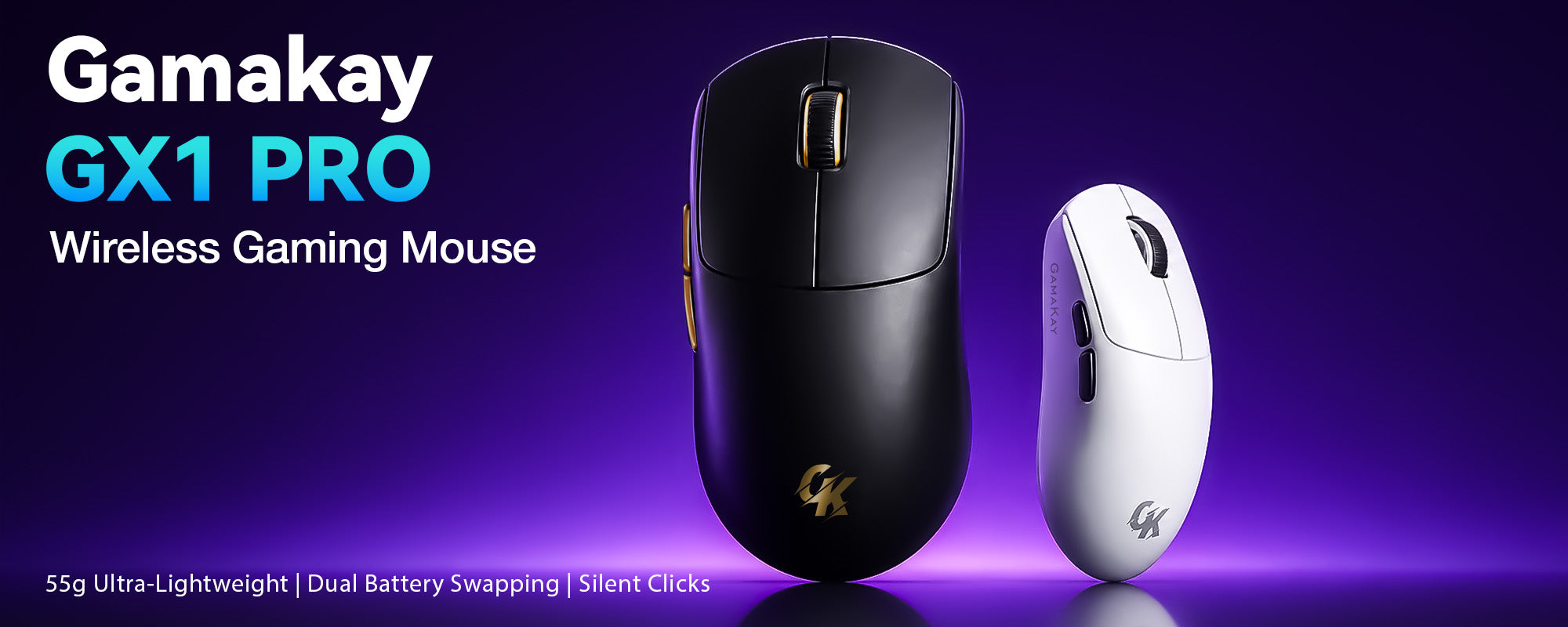
GX1 and GX1 PRO include two replaceable 300mAh batteries and a dock that charges the spare. One battery can be in the mouse while the other is prepared in the dock, so users can swap instead of waiting through a cable-only charge. This is a continuity feature, not a claim about a specific runtime.
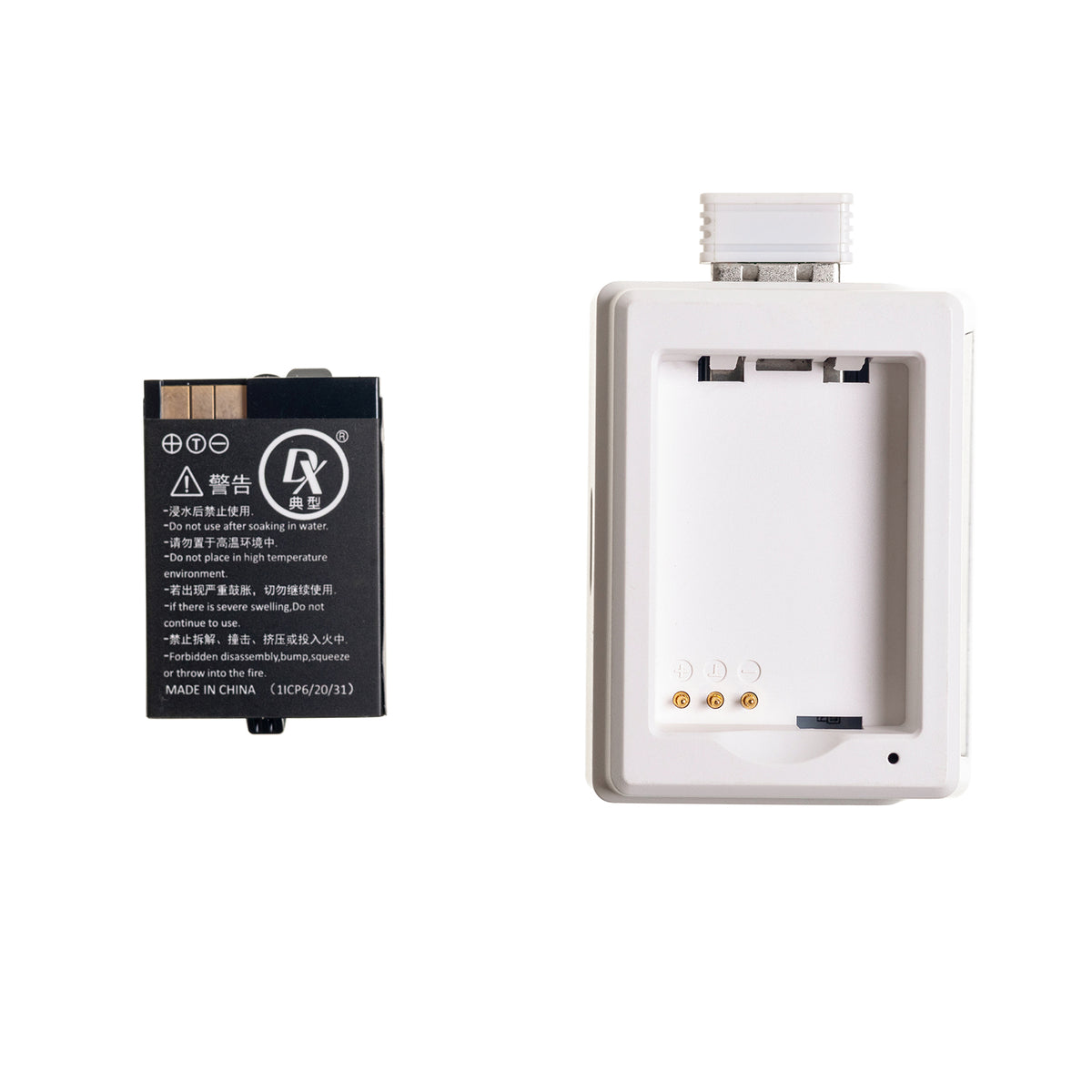
Where GX1 PRO sits beside mainstream esports mice
The flagship conversation is already crowded with very light 8K mice. Razer lists the Viper V3 Pro at 54g with 8,000Hz wireless polling; Logitech lists the PRO X SUPERLIGHT 2 at 60g with up to 8kHz polling. GX1 PRO belongs in that performance class at approximately 55g, with a PAW3950 sensor, up to 30,000 DPI, and up to 8,000Hz polling in wired or 2.4GHz mode.
Its advantage is therefore not an exaggerated “bigger number wins” claim. It is the number of roles covered by the platform:
- Performance route: PAW3950, up to 30,000 DPI, and up to 8,000Hz polling over wired or 2.4GHz for high-refresh displays and FPS testing.
- Daily route: Bluetooth alongside 2.4GHz and wired connections for switching between work and gaming devices.
- Quiet route: a silent left/right-click option for late-night or shared-space use, with a standard-click option for users who prefer conventional feedback.
- Continuity route: two swappable batteries and a dock rather than a cable-only charging routine.
- At-a-glance route: the GX1 PRO dock adds a front display for DPI, polling rate, lift-off distance, and connection mode.
This does not mean every player needs 8K. The higher setting is most relevant to enthusiasts using high-refresh-rate displays, suitable hardware, and games where small timing differences matter. GX1 stays at 1,000Hz because its job is different: quiet, uninterrupted daily use without paying for a performance ceiling many users will not exploit.
GX1 vs GX1 PRO comparison
| Feature | GX1 | GX1 PRO |
|---|---|---|
| Best for | Work, shared spaces, late-night gaming, casual and mainstream play | Competitive FPS, high-refresh-rate setups, and performance testing |
| Sensor | PAW3311 | PAW3950 |
| Maximum DPI | Up to 12,000 DPI | Up to 30,000 DPI |
| Wired / 2.4GHz polling | 125 / 250 / 500 / 1,000Hz | 250 / 500 / 1,000 / 2,000 / 4,000 / 8,000Hz |
| Bluetooth polling | 125Hz | 125Hz |
| Weight | 55g ± 3g | 55g ± 3g |
| Connectivity | 2.4GHz / Bluetooth / wired | 2.4GHz / Bluetooth / wired |
| Battery system | Two swappable 300mAh batteries | Two swappable 300mAh batteries |
| Charging dock | Included | Included, with front status display |
| Left/right-click choice | Standard or silent variant | Standard or silent variant |
| Software | Windows / macOS / web-driver support | Windows / macOS / web-driver support |
Ready to choose?
Pick GX1 for quieter everyday flexibility, or GX1 PRO for PAW3950 and polling up to 8,000Hz over wired or 2.4GHz.
Included anti-slip grip tape
Every GX1 Series package also includes a Phoenix or Pegasus anti-slip grip-tape set. The textured pieces are supplied as an accessory, letting users add more surface grip to the main buttons and sides while keeping the original black or white shell underneath. They are included in the box rather than permanently pre-installed.

What editors and reviewers can test
- Is silent gaming still tactile? Compare the silent and standard left/right-click variants in the same room and microphone position.
- Does 8K matter on the target setup? Test GX1 PRO at 1K, 2K, 4K, and 8K on a high-refresh display rather than assuming the maximum is always best.
- Does the dual-battery workflow reduce interruption? Use one battery in the mouse and one in the dock during a full work-to-game day.
- Can one mouse cross work and play? Move between Bluetooth on a laptop and 2.4GHz on a gaming desktop.
- How useful is the included grip tape? Compare the original shell with the supplied Phoenix or Pegasus tape fitted.
Pricing and availability
Pricing, click configuration, stock, and availability may vary by market. Visit the current GX1 Series product page to compare available GX1 and GX1 PRO options in your region.
Compare GX1 and GX1 PRO on Gamakay.com
Reference notes
Competitive specifications were checked against official manufacturer pages on August 16, 2026: Logitech Signature M650, Razer Viper V3 Pro, Logitech PRO X SUPERLIGHT 2, Glorious V3 Wireless, and Turtle Beach MC7.


