


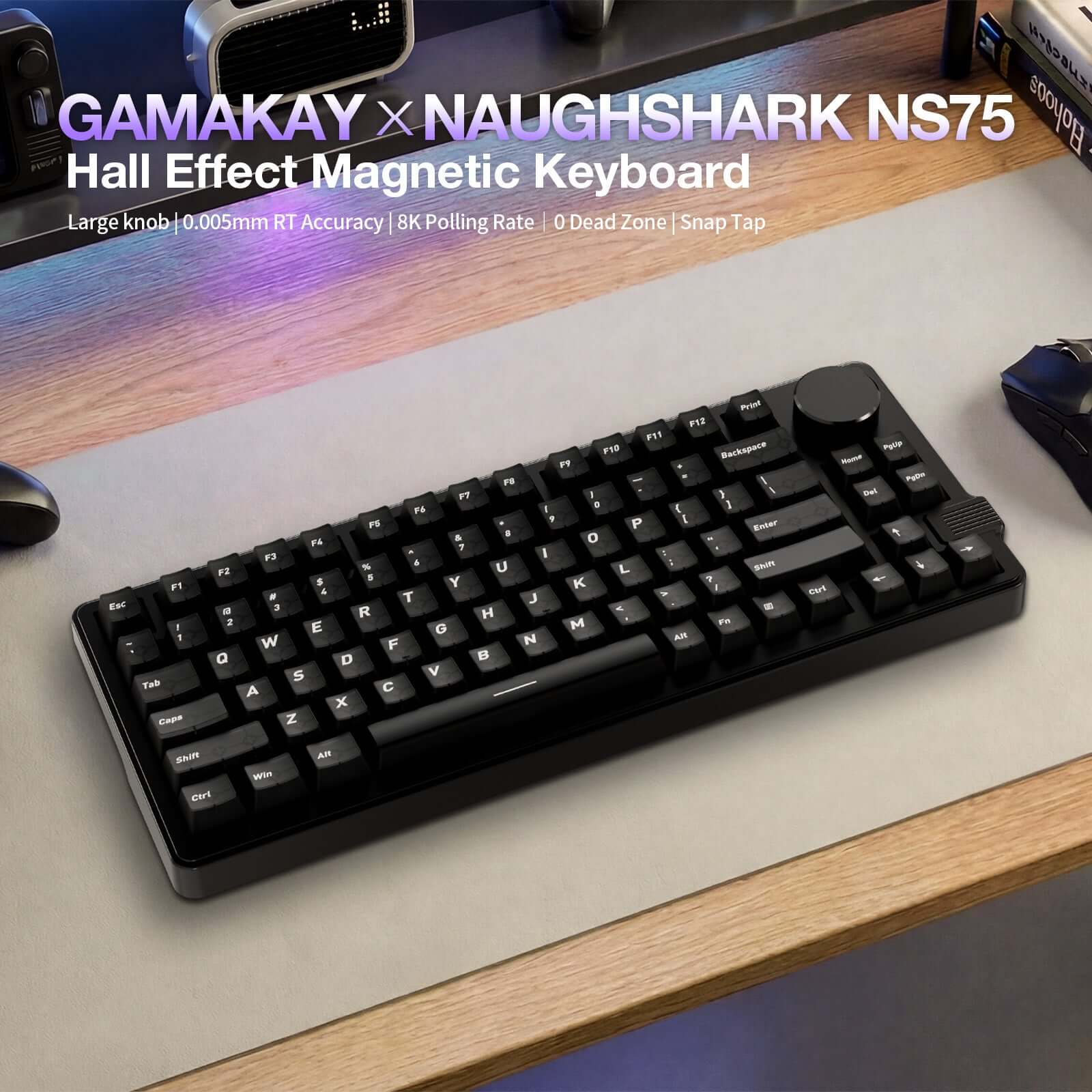
Hall Effekt Tastatur Gamakay x NaughShark NS75 0,005 mm Reaktionszeit, 8 kHz Abtastrate
- 定価
-
€70,95 - 定価
-
- 特価
-
€70,95
Nutzen Sie Code GK12 für 12% Rabatt
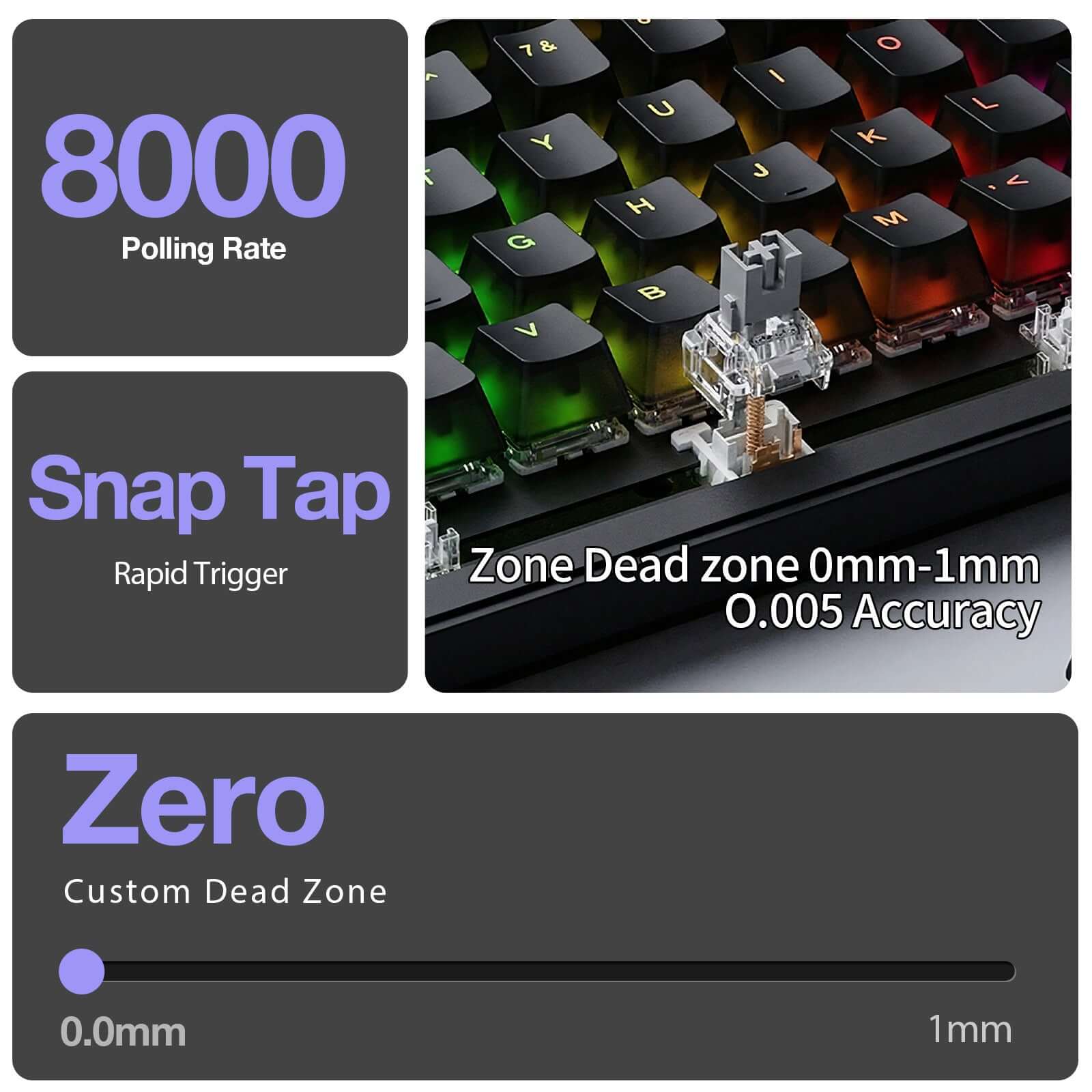
Hall-Effekt-Magnetschalter mit Snap Tap / Rapid Trigger und 0,005 mm Präzision für ultraschnelle Reaktion
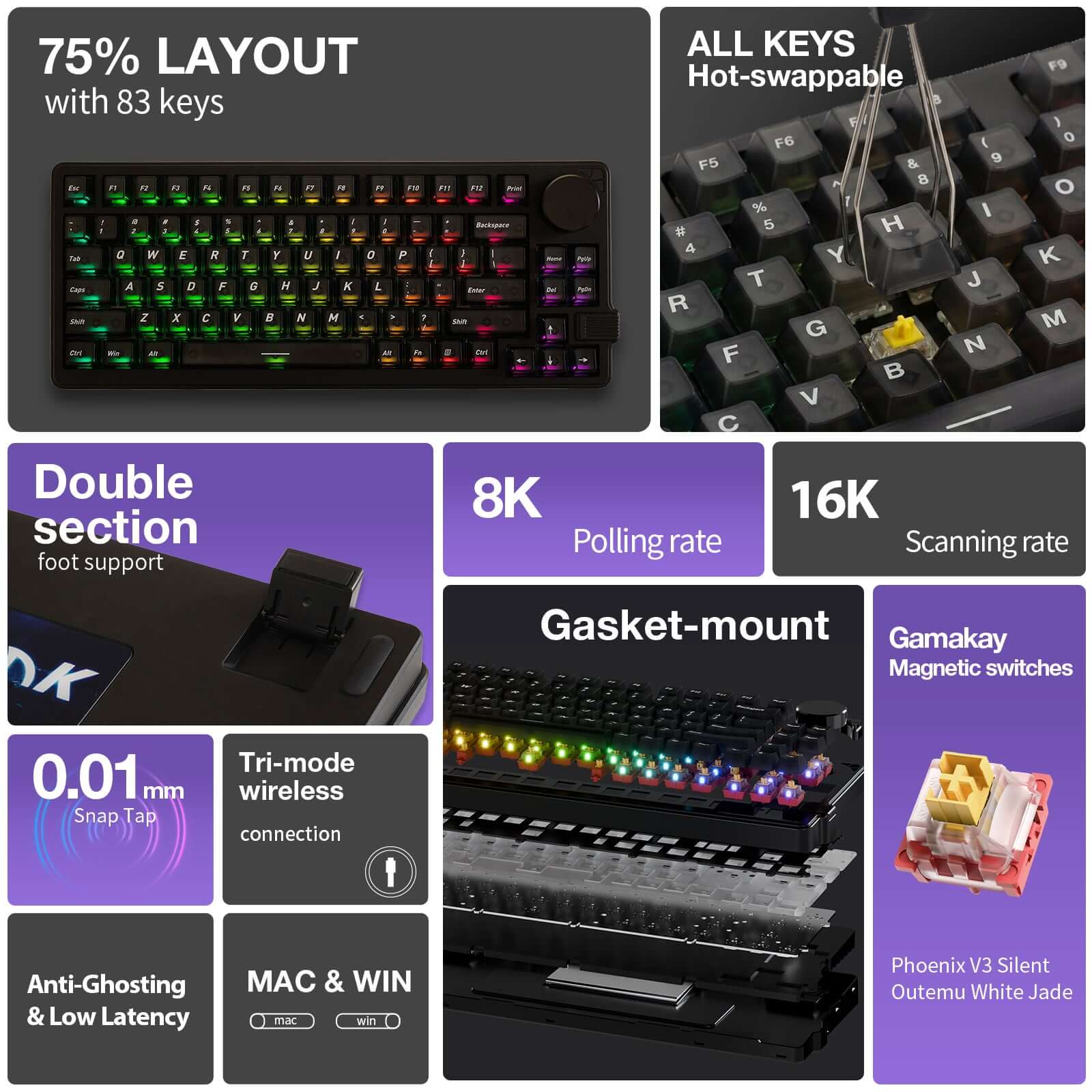
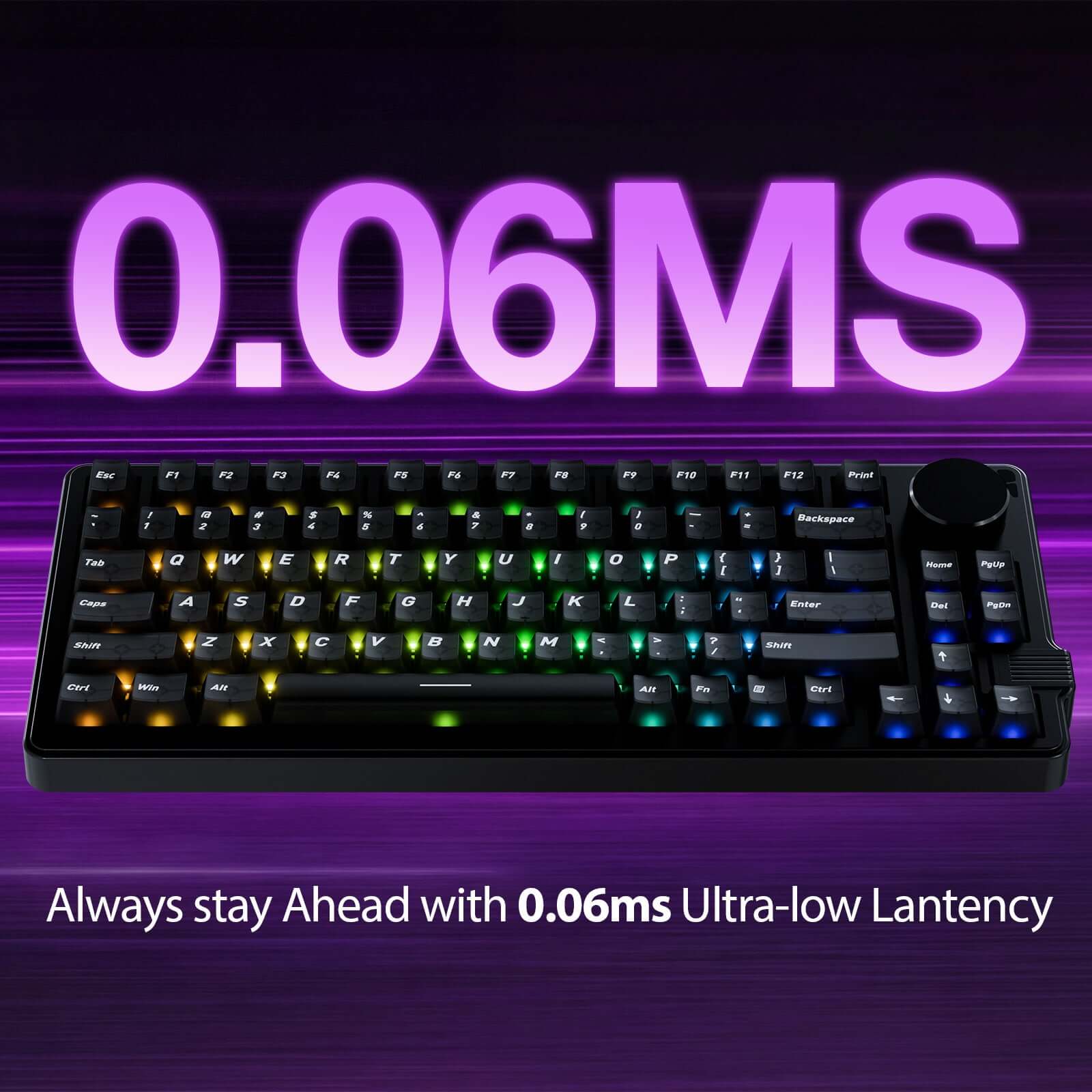
Echte kabelgebundene 8K Abfragerate + 16K Scan-Rate für 0,06 ms extrem niedrige Latenz
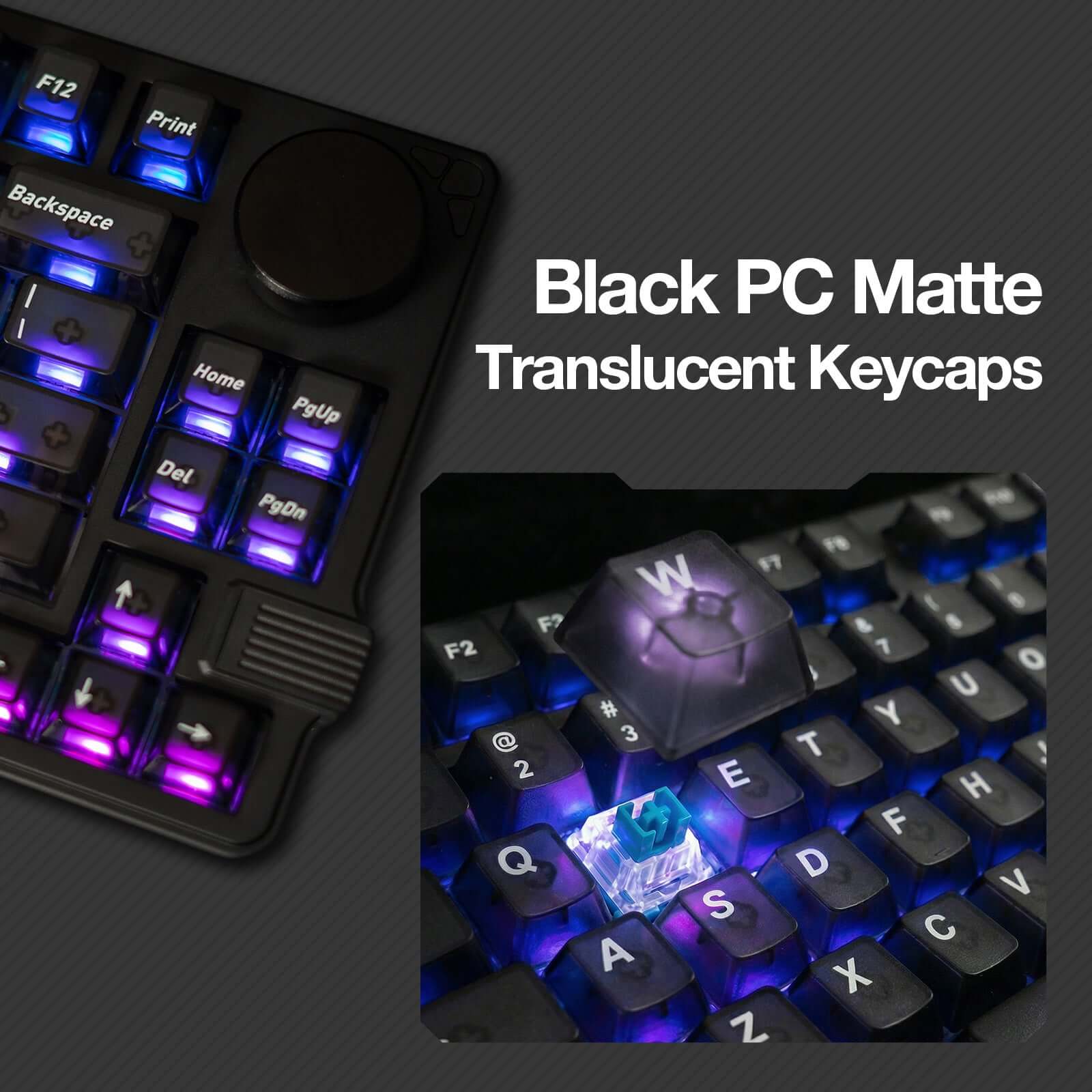
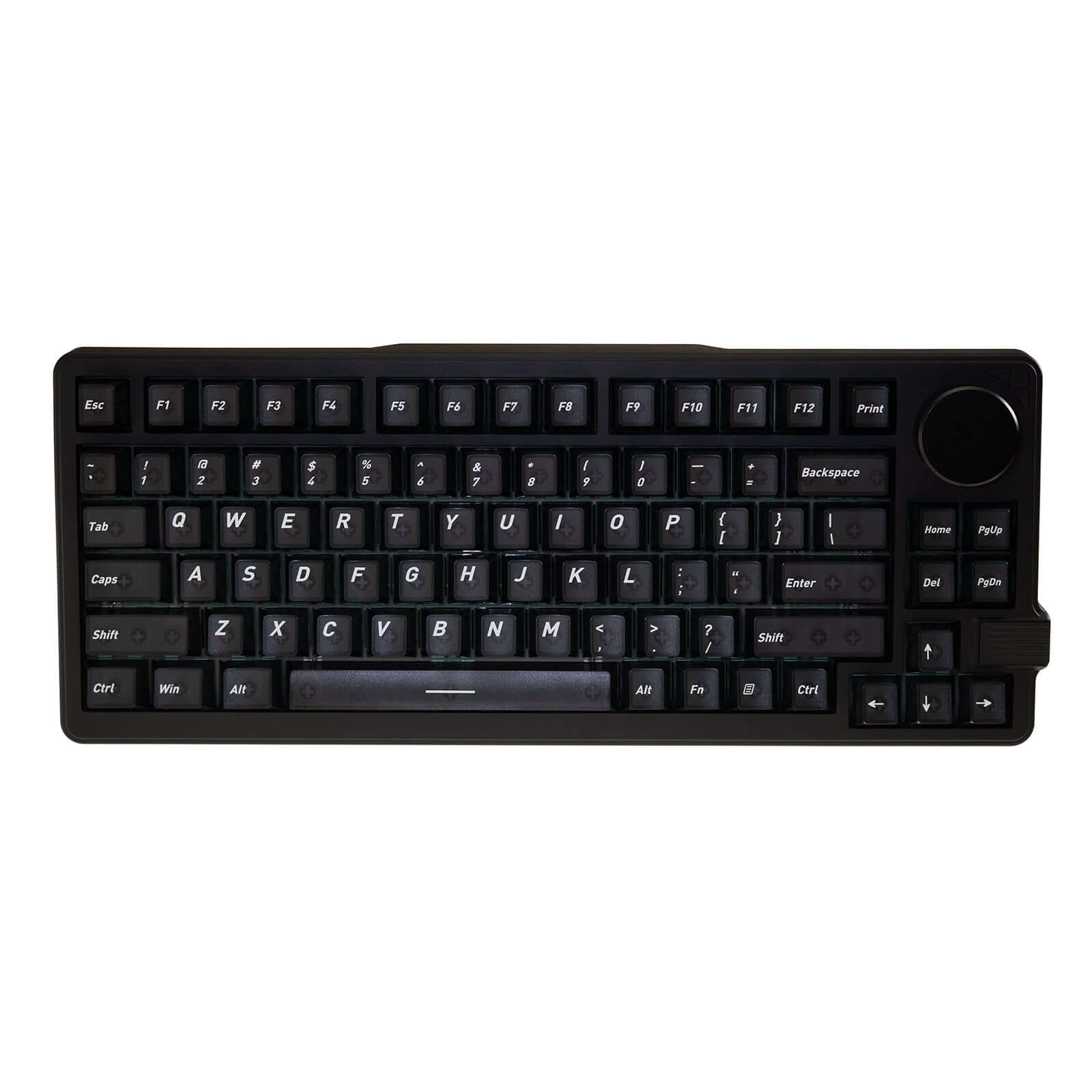
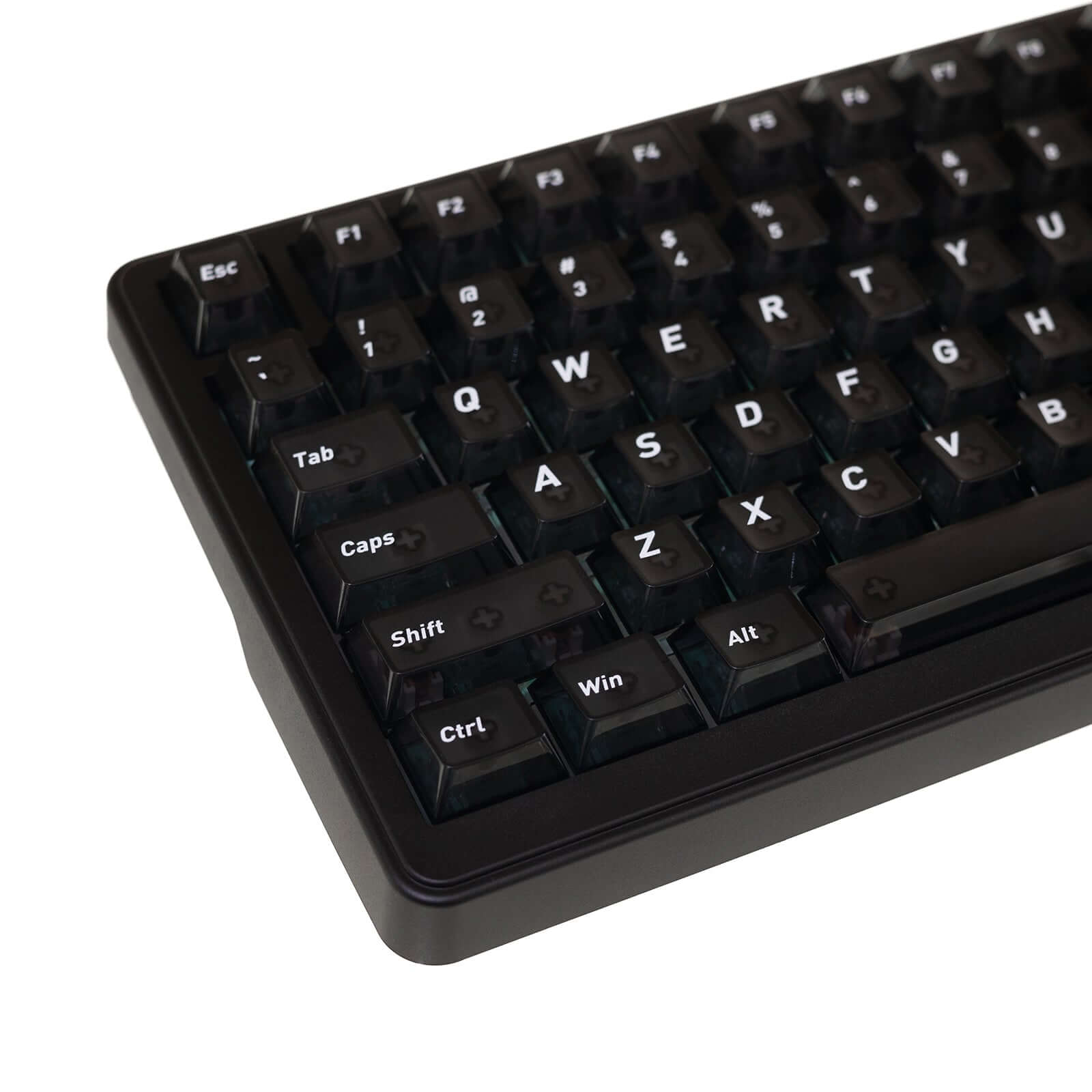
Kompaktes 75%-Layout mit durchscheinenden Tastenkappen (83 Tasten + Drehknopf) für effizientes Gaming und produktives Arbeiten
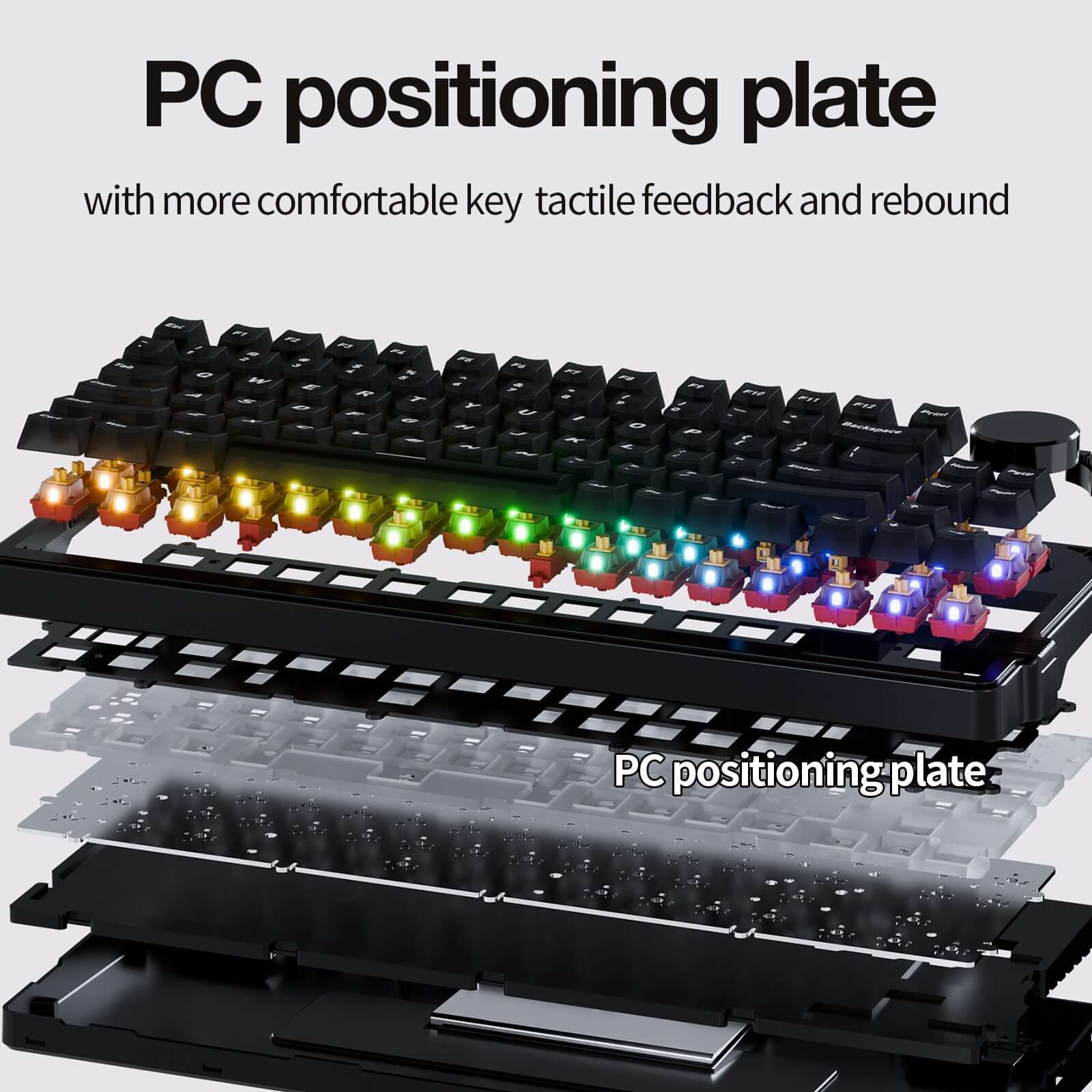
Dichtungsmontage + PC-Plattendesign für verbesserte Akustik und Tippkomfort
Tri-Mode Konnektivität (kabelgebunden / 2,4 G / Bluetooth) mit Windows- und macOS-Unterstützung
在庫取り置きの表示がロードできない



Produktdetails
Beschreibung
Gamakay x NaughShark NS75 Hall-Effect-Gaming-Tastatur mit 8K Polling Rate
Die Gamakay x NaughShark NS75 ist eine leistungsstarke Hall-Effect-Gaming-Tastatur im kompakten 75%-Layout. Sie wurde für Spieler entwickelt, die schnelle Eingaben, präzise Steuerung und moderne Gaming-Funktionen in einer platzsparenden Tastatur suchen.
Mit einer Auslösegenauigkeit von 0,005 mm, Rapid Trigger, Snap Tap, einer 8K Polling Rate und einer 16K Scan Rate bietet die NS75 eine besonders reaktionsschnelle Eingabe für kompetitives Gaming, schnelle Richtungswechsel und präzise Bewegungen.
Die Kombination aus hot-swap-fähigen magnetischen Switches, Tri-Mode-Verbindung über USB-C, 2,4 GHz und Bluetooth, anpassbarer RGB-Beleuchtung und Multifunktions-Drehknopf macht die NS75 zu einer vielseitigen Tastatur für Gaming, Arbeit und moderne Desk-Setups.
0,005 mm Präzision mit Rapid Trigger und Snap Tap
Die Hall-Effect-Technologie der NS75 erkennt Tastenbewegungen besonders fein und ermöglicht eine präzise Anpassung des Auslöseverhaltens. Mit 0,005 mm Auslösegenauigkeit lassen sich Eingaben sehr genau steuern.
Rapid Trigger ermöglicht ein schnelleres Auslösen und Zurücksetzen der Taste, während Snap Tap die zuletzt gedrückte Richtungstaste priorisiert. Das kann besonders in FPS-Spielen hilfreich sein, wenn schnelle Gegenbewegungen, Counter-Strafing oder kurze Bewegungskorrekturen gefragt sind.
8K Polling Rate und 16K Scan Rate für schnelle Eingaben
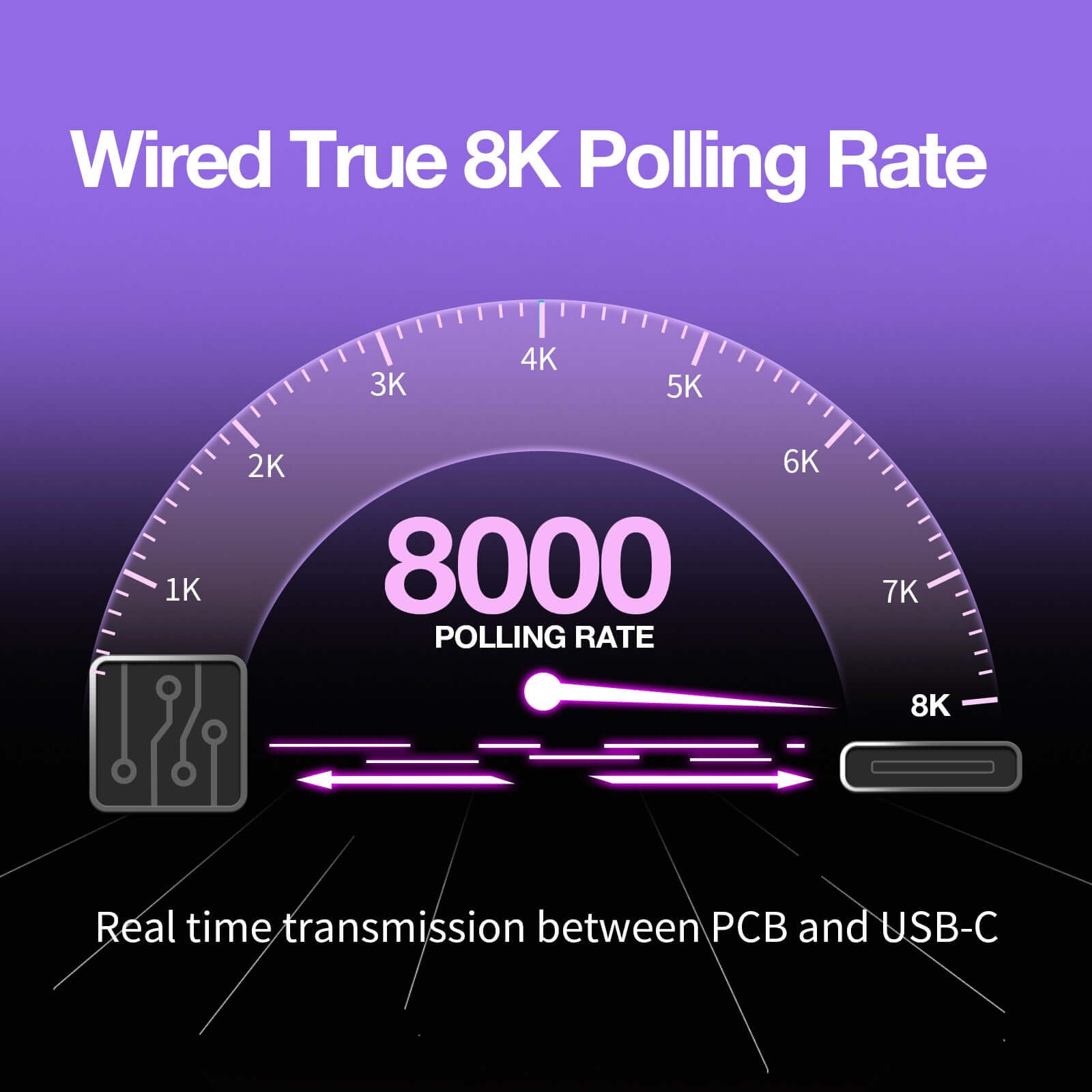
Die 8K Polling Rate sorgt für eine schnelle Signalübertragung zwischen Tastatur und Computer. Gleichzeitig unterstützt die 16K Scan Rate eine besonders schnelle Erfassung der Tasteneingaben.
Dadurch eignet sich die Gamakay x NaughShark NS75 besonders für Gamer, die Wert auf niedrige Latenz, direkte Reaktion und zuverlässige Eingaben legen.
75%-Layout mit Multifunktions-Drehknopf
Das kompakte 75%-Layout spart Platz auf dem Schreibtisch, behält aber wichtige Funktionstasten und Navigationstasten bei. Dadurch bleibt mehr Raum für Mausbewegungen, ohne auf zentrale Tasten im Alltag verzichten zu müssen.
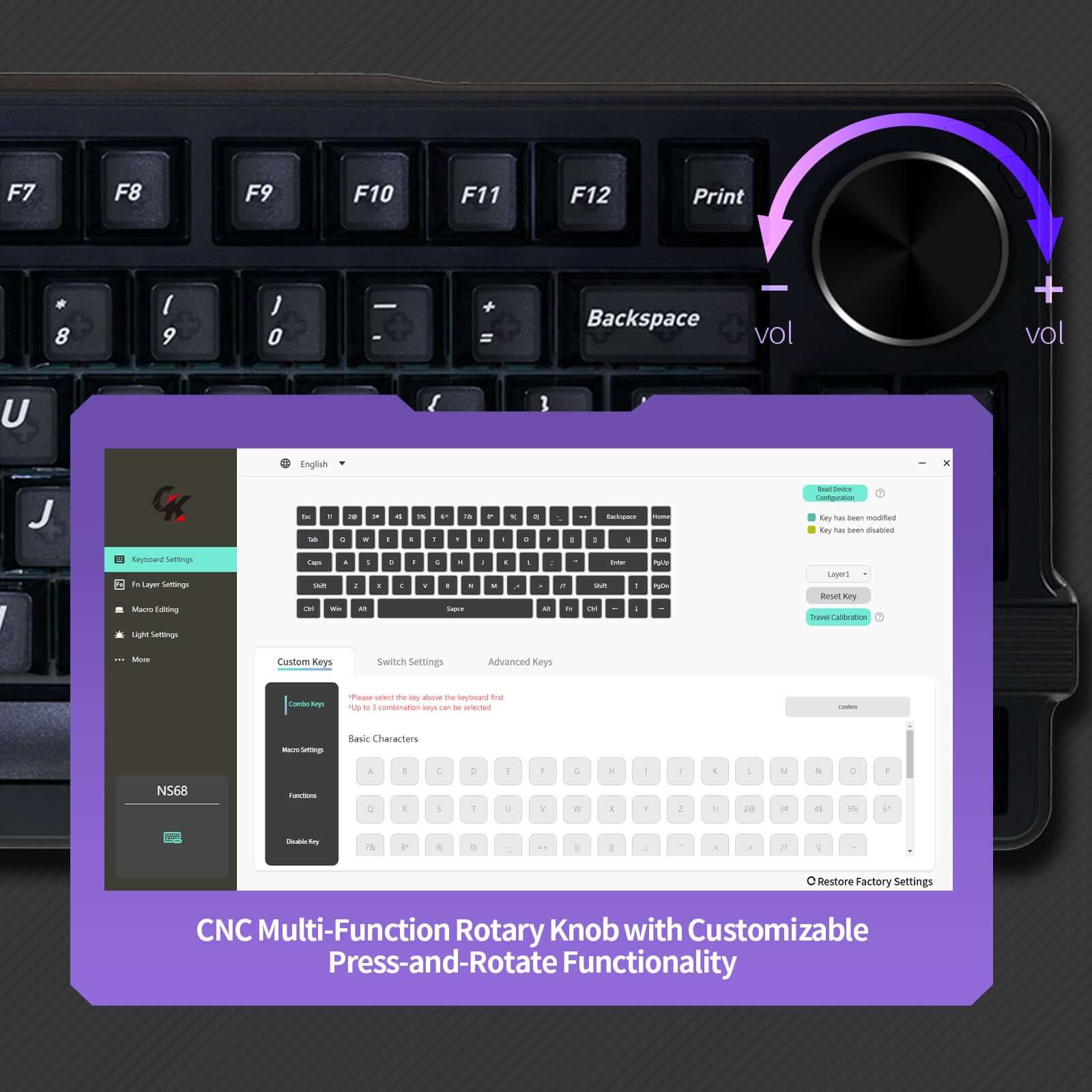
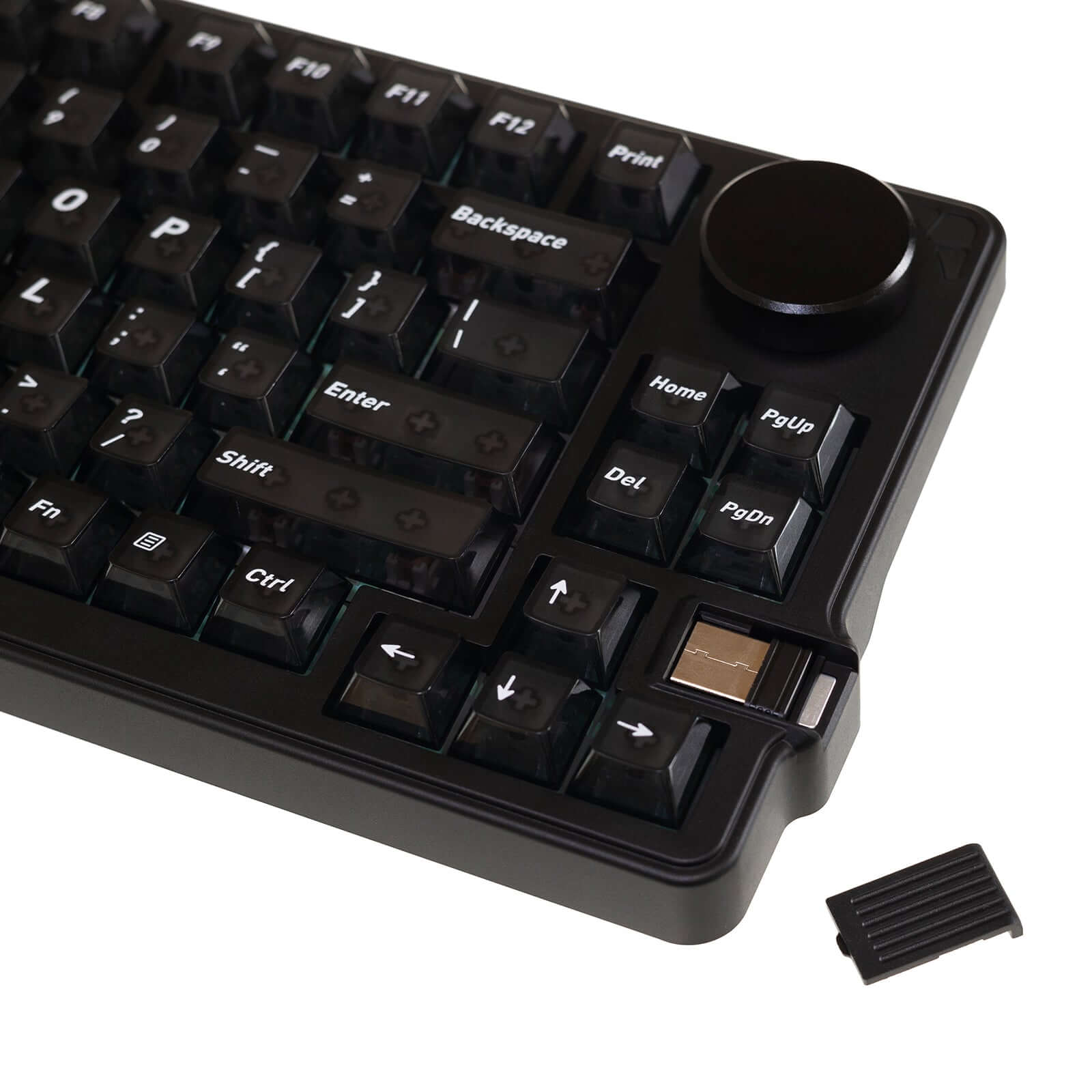
Der integrierte Multifunktions-Drehknopf erleichtert schnelle Anpassungen, zum Beispiel bei Lautstärke, Beleuchtung oder anderen Funktionen – je nach Software- und Treibereinstellung.
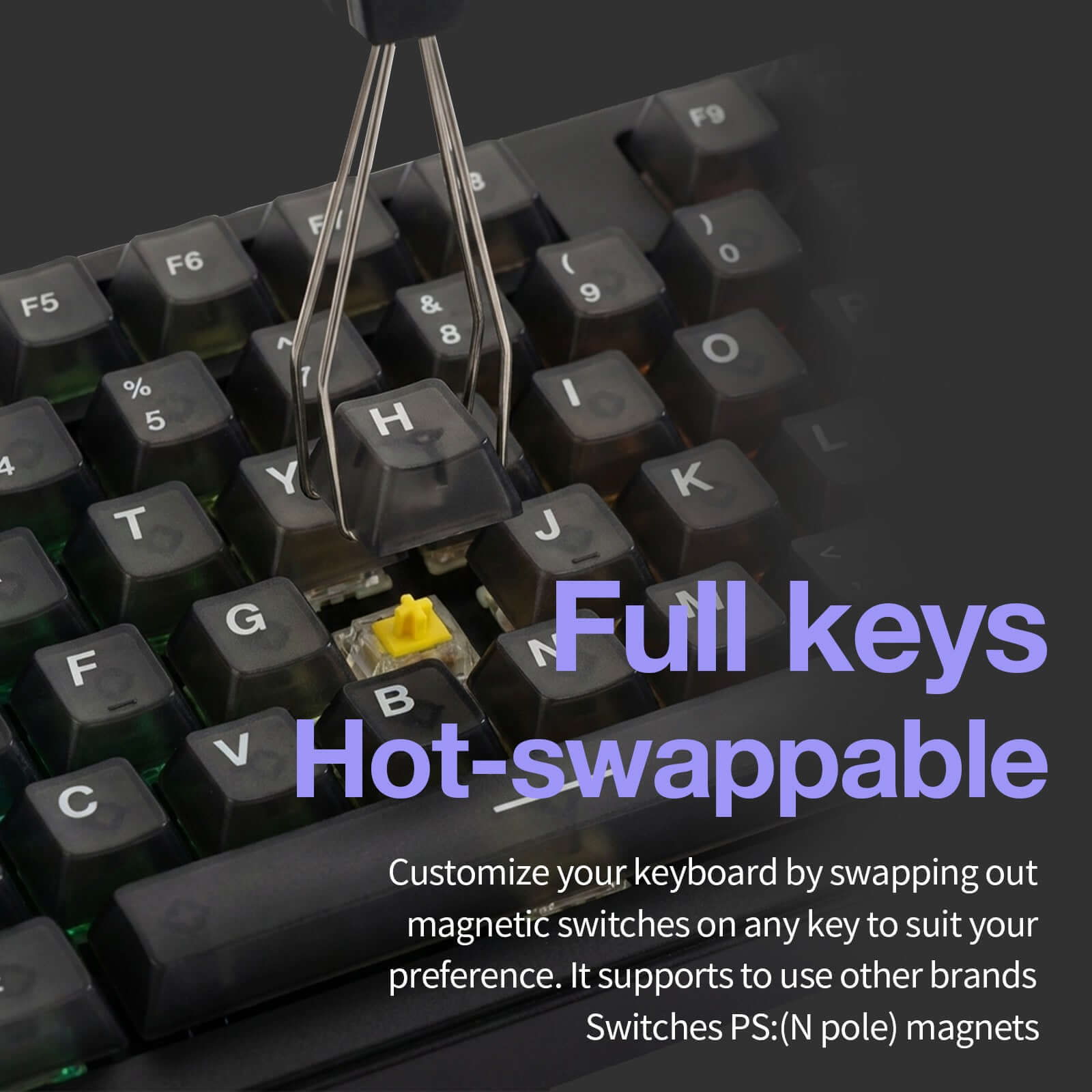
Hot-Swap-Magnetschalter für mehr Flexibilität
Die NS75 unterstützt hot-swap-fähige magnetische Switches. Dadurch können kompatible Magnetschalter einfacher ausgetauscht werden, ohne dass gelötet werden muss.
Bei Hall-Effect-Tastaturen sollte jedoch darauf geachtet werden, dass verwendete magnetische Switches zum Signalprofil der Tastatur passen. Für die beste Stabilität und Präzision empfiehlt sich die Nutzung kompatibler Magnetschalter.
Tri-Mode-Verbindung: USB-C, 2,4 GHz und Bluetooth
Die drei Anschlussmöglichkeiten machen die NS75 besonders flexibel. Im kabelgebundenen Modus eignet sie sich für maximale Leistung beim Gaming, während 2,4 GHz und Bluetooth mehr Freiheit für kabellose Setups bieten.
So lässt sich die Tastatur einfach zwischen Gaming-PC, Laptop oder anderen Geräten einsetzen.
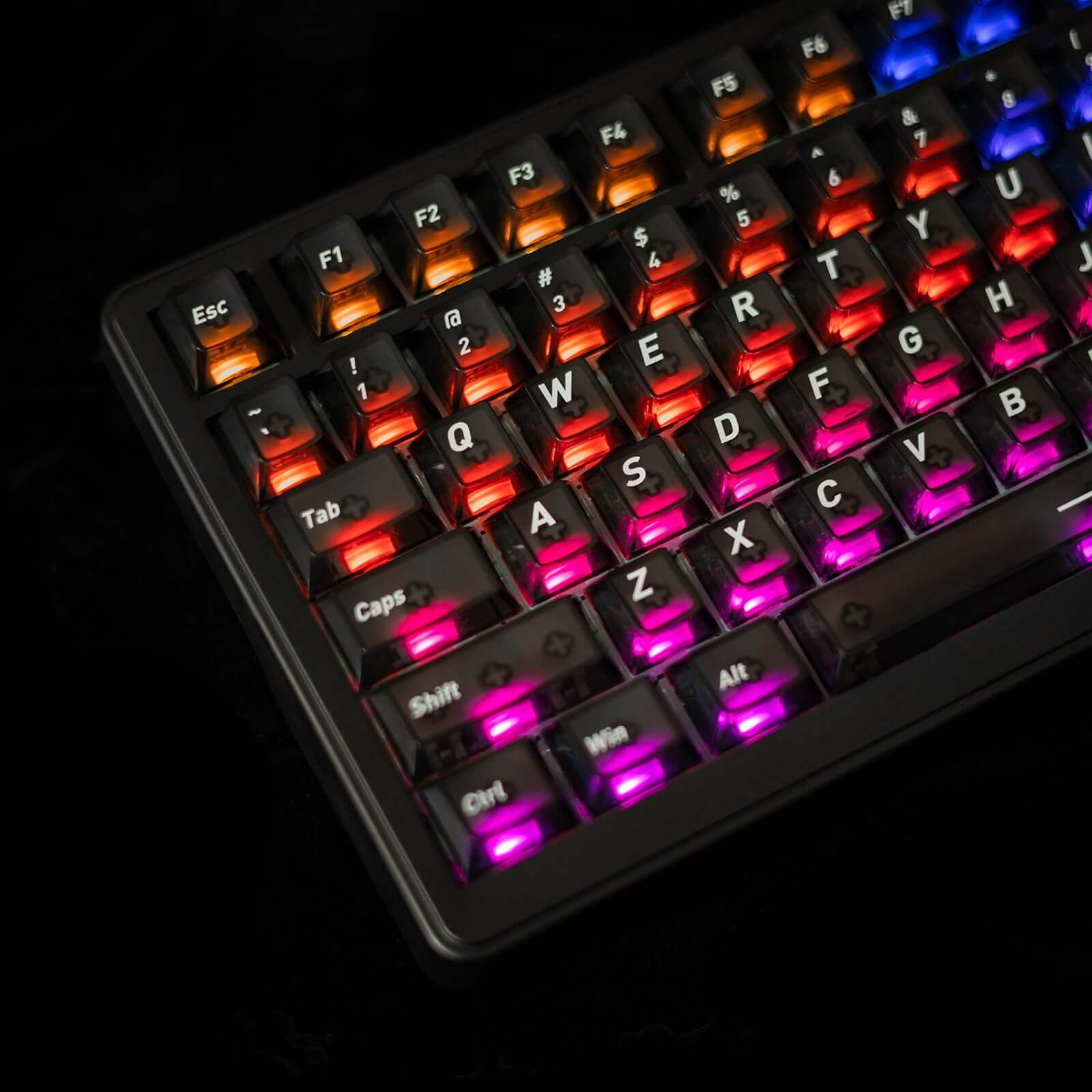
RGB-Beleuchtung mit transparenten Keycaps
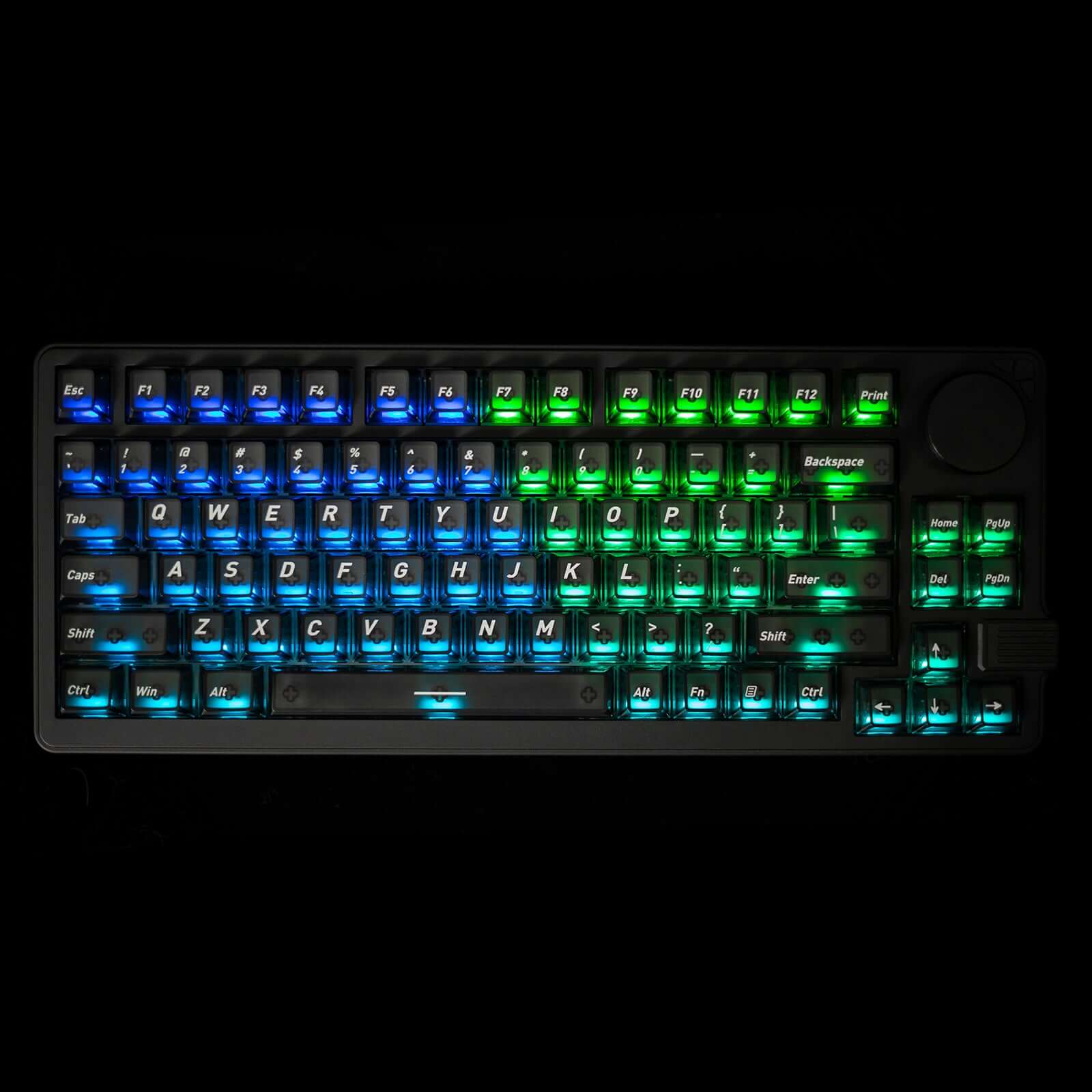
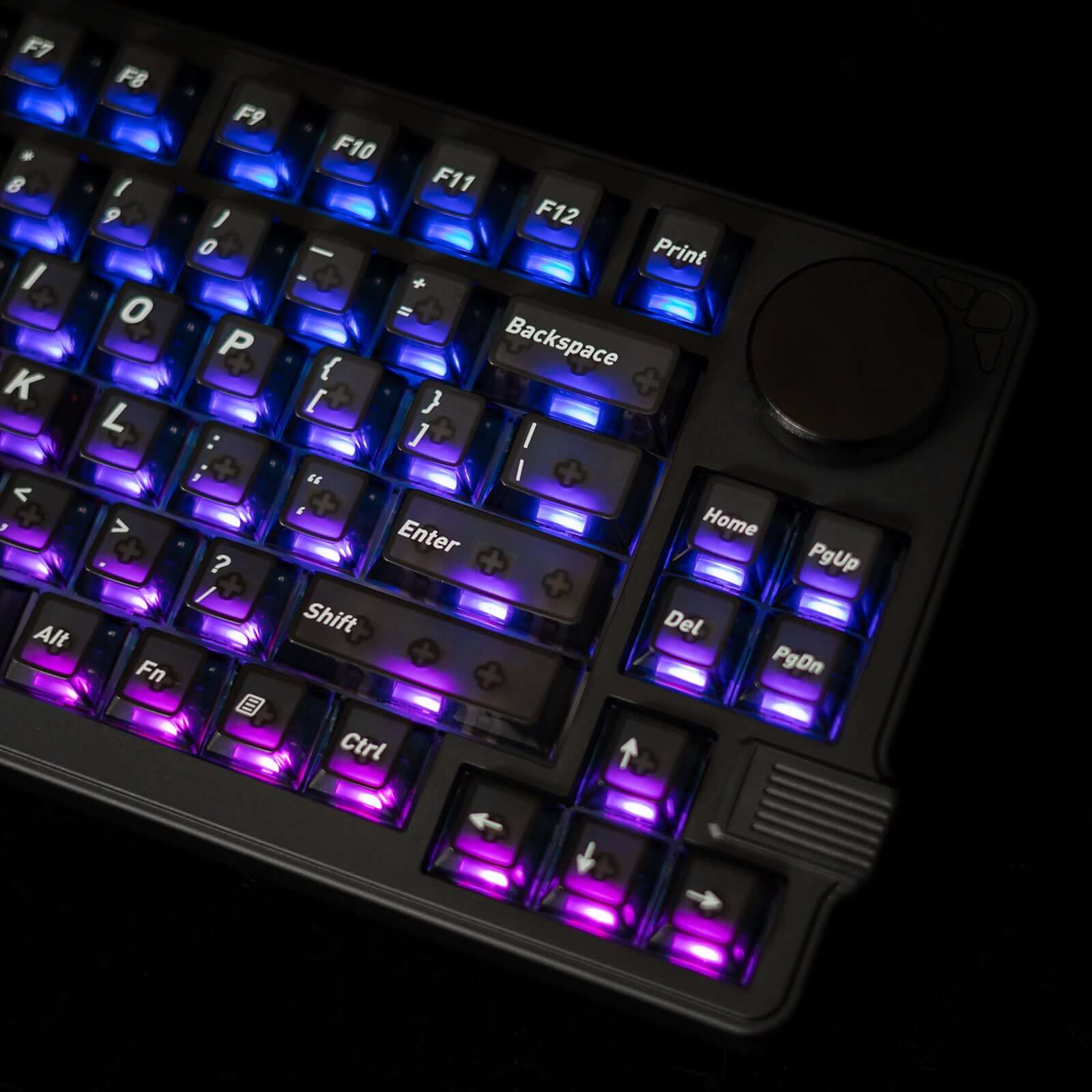
Die anpassbare RGB-Beleuchtung scheint durch die transparenten Tastenkappen und sorgt für eine auffällige Optik auf dem Schreibtisch. Gleichzeitig verbessert die Beleuchtung die Sichtbarkeit der Tasten in dunkleren Umgebungen.
Damit passt die NS75 sowohl zu Gaming-Setups mit RGB-Look als auch zu modernen Arbeitsplätzen, bei denen Design und Funktion zusammenkommen sollen.
Für wen ist die Gamakay x NaughShark NS75 geeignet?
- FPS-Spieler: für schnelle Bewegungen, Counter-Strafing und präzise Richtungswechsel
- Competitive Gamer: für 8K Polling Rate, niedrige Latenz, Rapid Trigger und Snap Tap
- Keyboard-Enthusiasten: für Hall-Effect-Technologie, Hot-Swap-Magnetschalter und anpassbare Einstellungen
- Desk-Setup-Nutzer: für ein kompaktes 75%-Layout mit RGB-Beleuchtung und Drehknopf
- Arbeit und Alltag: für flexible Nutzung über USB-C, 2,4 GHz und Bluetooth
Gamakay x NaughShark NS75 – Präzision, Geschwindigkeit und Kontrolle
Die Gamakay x NaughShark NS75 verbindet die Präzision einer Hall-Effect-Tastatur mit der Flexibilität einer modernen Tri-Mode-Gaming-Tastatur. Mit 0,005 mm Genauigkeit, 8K Polling Rate, Rapid Trigger, Snap Tap, RGB-Beleuchtung und kompaktem 75%-Layout ist sie eine starke Wahl für schnelle Gaming-Setups und anspruchsvolle Tastaturnutzer.

Gaming-Funktionen
Hall-Effekt-Gaming-Tastatur mit Snap-Tap – Magnetische Schalter liefern 0,005 mm Betätigungsgenauigkeit, Rapid Trigger und eine einstellbare 0–1 mm Totzone für ultra-reaktionsschnelles FPS- und Esport-Gameplay.
Echte kabelgebundene 8K Polling-Rate (8000 Hz) – In Kombination mit einer 16K Scan-Rate wird eine ultraniedrige Latenz von 0,06 ms erreicht, für eine schnellere Eingabereaktion als bei Standard-Mechaniktastaturen.
RGB-Gaming-Tastatur mit durchscheinenden Tastenkappen – Die RGB-Beleuchtung pro Taste scheint durch die durchscheinenden Tastenkappen und verbessert die Sichtbarkeit und immersive Gaming-Setups.
Kompaktes 75%-Gaming-Layout mit Drehregler – Das 83-Tasten-Layout spart Platz auf dem Schreibtisch für Mausbewegungen, während Funktionstasten und ein multifunktionaler Drehregler für schnelle Steuerung erhalten bleiben.
Gasket-Mount-Bauweise & Tri-Mode-Konnektivität – PC-Platte und Gasket-Struktur verbessern Stabilität und Komfort, mit Unterstützung für kabelgebunden / 2.4G / Bluetooth und voller Windows- & macOS-Kompatibilität.
Spezifikationen
Spezifikationen:
1. 75 % Layout mit 83 Tasten
2. Drahtlose Tri-Mode-Verbindung
3. 8k Polling-Rate und 10K Scanning-Rate
4. Mac / Windows System
5. Zweiteilige Fußstütze
6. Schwarze, matte, transluzente PC-Tastenkappen
7. Phoenix V3 Silent, Outemu White Jade
8. Snap Tap RT 0,005 mm
9. Alle Tasten Hot-Swap-fähig
10. Gasket-Mount
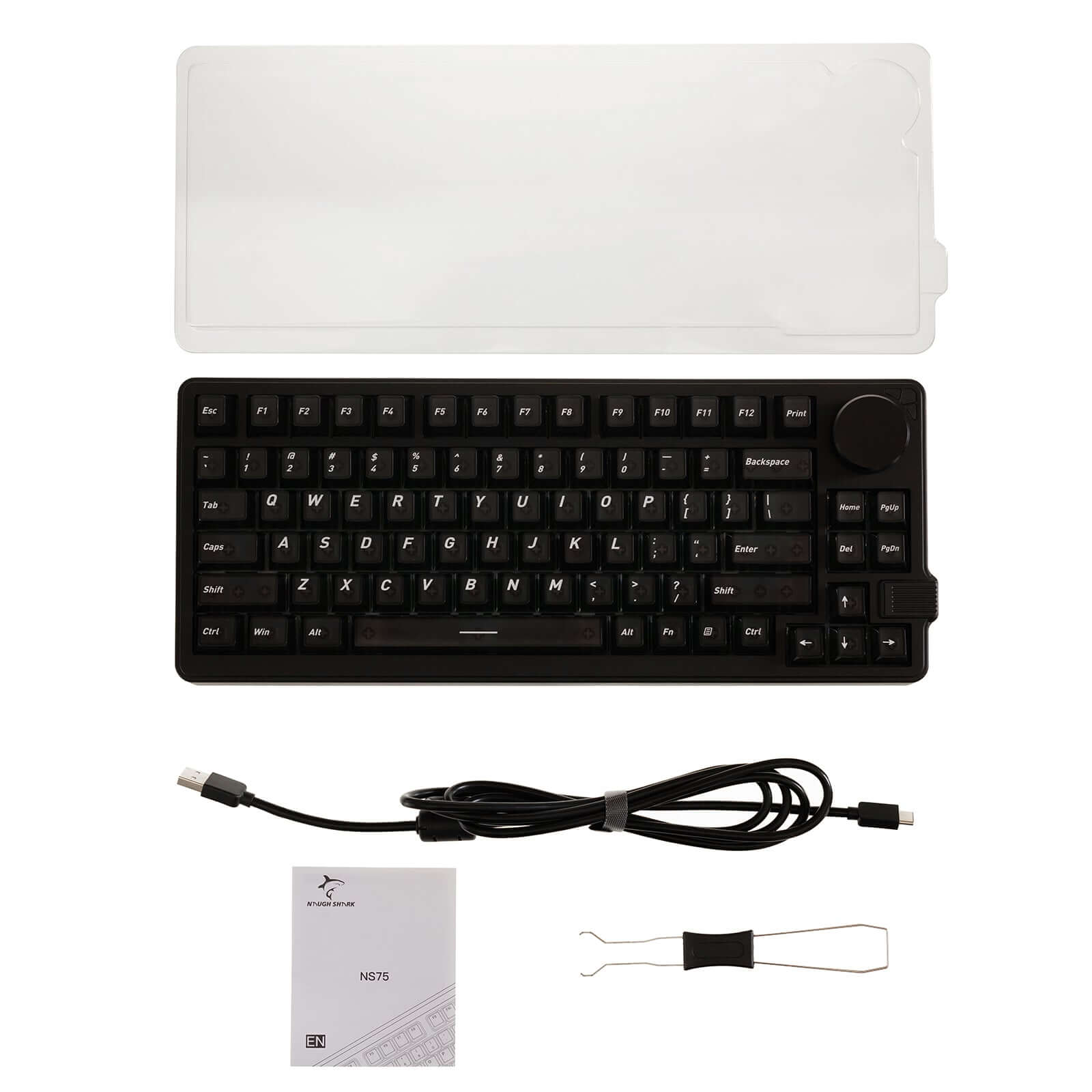
In der Box enthalten
Tastatur:
1 * Gamakay x NaughShark NS75
Kabel:
1 * 1,5m Typ-C-Kabel
1 * Handbuch
Häufig gestellte Fragen
Wie lade ich die Tastatur richtig auf?
Um eine sichere Aufladung zu gewährleisten und Schäden zu vermeiden, verwenden Sie keine Netzteile von Drittanbietern wie Handy-Ladegeräte oder Laptop-Ladegeräte.
Korrekte Lademethode:
- Verbinden Sie die Tastatur über ein Typ-C-Kabel direkt mit dem USB-Anschluss eines Computers.
Schalten Sie den Bluetooth-/Drahtlosmodus der Tastatur aus.
Schalten Sie die Tastatur in den kabelgebundenen Modus.
Lassen Sie die Tastatur vollständig aufladen, bevor Sie den Drahtlosmodus wieder einschalten.
Wichtig:
Schäden, die durch die Verwendung unsachgemäßer Lademethoden oder nicht autorisierter Stromquellen verursacht werden, sind nicht von der Garantie abgedeckt.